

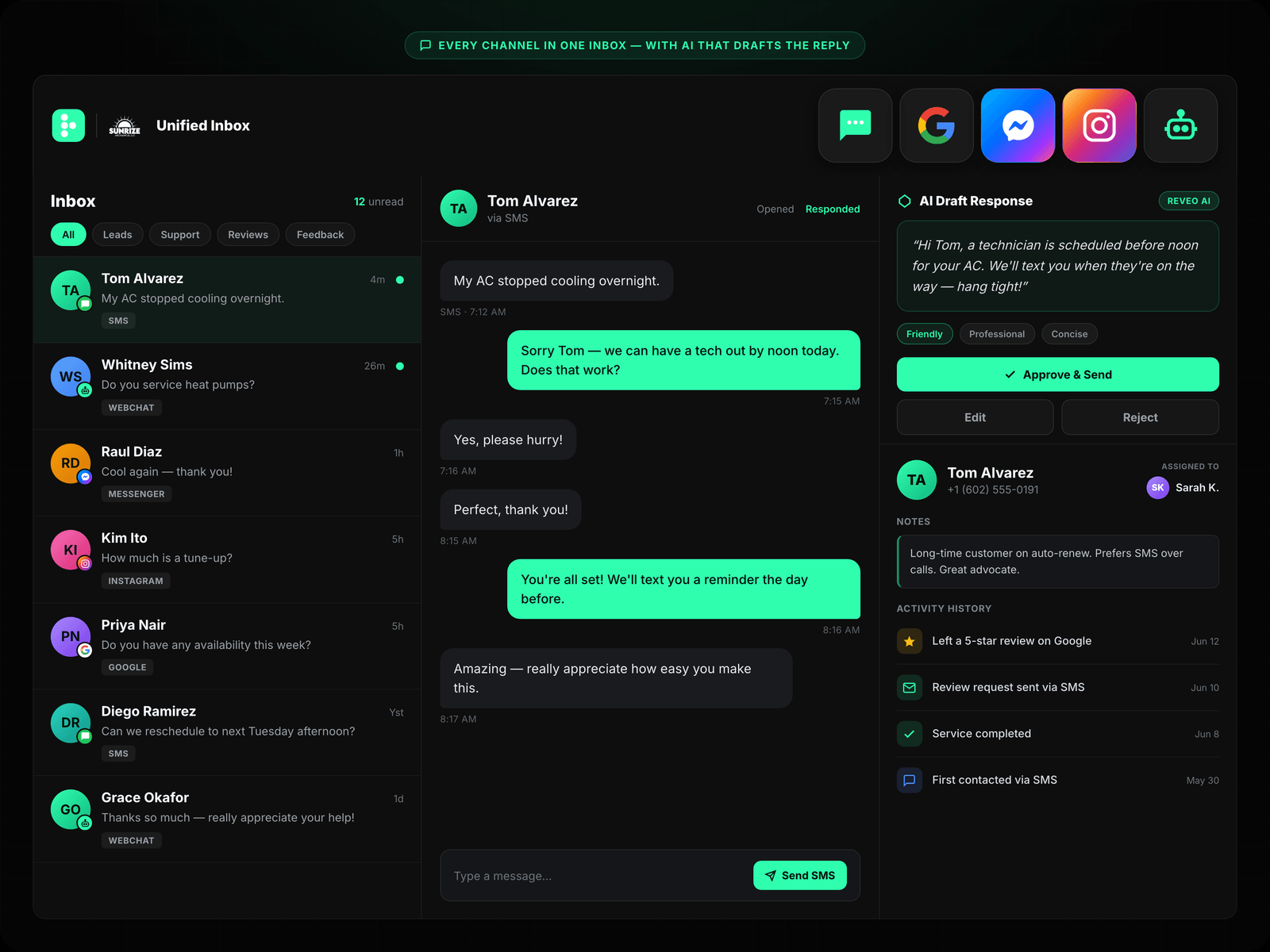
A unified inbox is one screen that pulls every customer message — text, email, Facebook and Instagram messages, Google messages, web chat, even missed calls — into a single view your whole team works from. Instead of a text sitting on your personal phone, an email in Outlook, and a Facebook message nobody sees until Tuesday, it all lands in one place, so no lead goes cold because it came in on a channel you forgot to check.
For a home service business, that matters more than it sounds. The person who texts you at 4:47 on a Friday, the one who fills out your web form, and the one who messages your Facebook page are the same thing: someone ready to book who will call the next company on the list if you’re slow. Harvard Business Review found sales teams that contact a lead within an hour are 7× more likely to have a real conversation than teams that wait even an hour longer. You can’t hit that window when the message is buried in an app nobody’s watching.
Why your customer messages are scattered
Most service businesses didn’t choose a five-channel setup, it grew on them. You started with a phone. Then customers wanted to text, so you gave out a cell number. You added a Facebook page, then a Google Business Profile, then a web form, then Instagram. Each one has its own inbox, its own notifications, and its own login.
The result: a plumber’s leads live in six places, and the only person who knows where is the owner. A tech in the field can’t see that the customer already texted twice. Whoever’s on the phones has no idea the same person messaged you last week. Messages fall through the cracks not because anyone’s lazy, but because there’s no single place that’s anyone’s job to watch.
What a unified inbox actually does
At its core it’s simple: every conversation, every channel, one threaded list, with the newest and unanswered at the top.
The good ones go further. A single conversation shows the customer’s whole history in one thread, no matter how they reached you: the text from March, the email last week, today’s Facebook message, all stacked in order. You reply from that thread, and the customer gets it on whatever channel they used. They don’t know or care that it’s one system; they just get a fast, on-brand answer.
That does three things a pile of separate apps can’t. Nothing gets missed, because it’s one list and one place to look. Your team can actually share the load, since the owner isn’t the only person who can see the Facebook inbox. And you stop losing context, because no more wondering whether this is the same person who called last week.
Business text messaging is the part that carries the load
Here’s the position most software won’t take: for home service, texting is the channel that matters most, and a unified inbox mostly exists to make business text messaging manageable at volume.
Customers text. They don’t want to sit on hold, and they don’t check email fast. A text gets read in minutes. That’s exactly why the scattered version is dangerous. When texting lives on the owner’s personal phone, it doesn’t scale past the owner, and it walks out the door the day that employee quits, taking every customer thread with it.
Pulling texts into a shared customer messaging inbox fixes both problems. The number belongs to the business, not a person. The whole team sees the thread. And when a call comes in that nobody can grab, an automatic missed-call text-back fires so the lead gets a reply instead of a voicemail they’ll never leave. The same channel carries the routine messages too — 8 appointment reminder templates cover the 48-hour, 24-hour, and on-the-way texts that cut no-shows without anyone typing them by hand.
One honest tradeoff: business texting isn’t a free-for-all. Carriers require registration and real consent, which means you text people who asked to hear from you, not a scraped list. A good inbox handles the compliance plumbing, but the rule stands: earn the opt-in. Blast strangers and you’ll get filtered as spam, and then even your real customers stop getting your texts.
What to look for, and the tradeoff to accept
Not every unified inbox is worth switching for. The ones that help home service businesses share a few traits. They cover the channels you actually use, they work on a phone so a tech in a driveway can reply, and they tie into the rest of your customer flow, so the same system that answers a lead can also send the review request after the job’s done.
The tradeoff worth naming: consolidating your inboxes means putting your customer conversations inside one system. That’s real lock-in. The upside is that it’s also the only way to stop leaking leads across six apps and to keep your customer history when an employee leaves. For most operators that trade is worth it, because the alternative is hoping you happen to check the right app in time.
Get every message in one place
If you take one thing from this: the first business to respond usually wins the job, and you can’t respond fast to a message you can’t see. A unified inbox is how you see all of them.
Reveo’s messaging tools pull your texts, emails, Facebook and Google messages, and web chat into one inbox your whole team works from, with the business owning the number instead of a personal phone. It connects to the speed-to-lead and review-request flows that turn a fast reply into a booked job and a 5-star review. Start with the channel your customers already use most, get it into one place, and stop letting good leads sit unread.